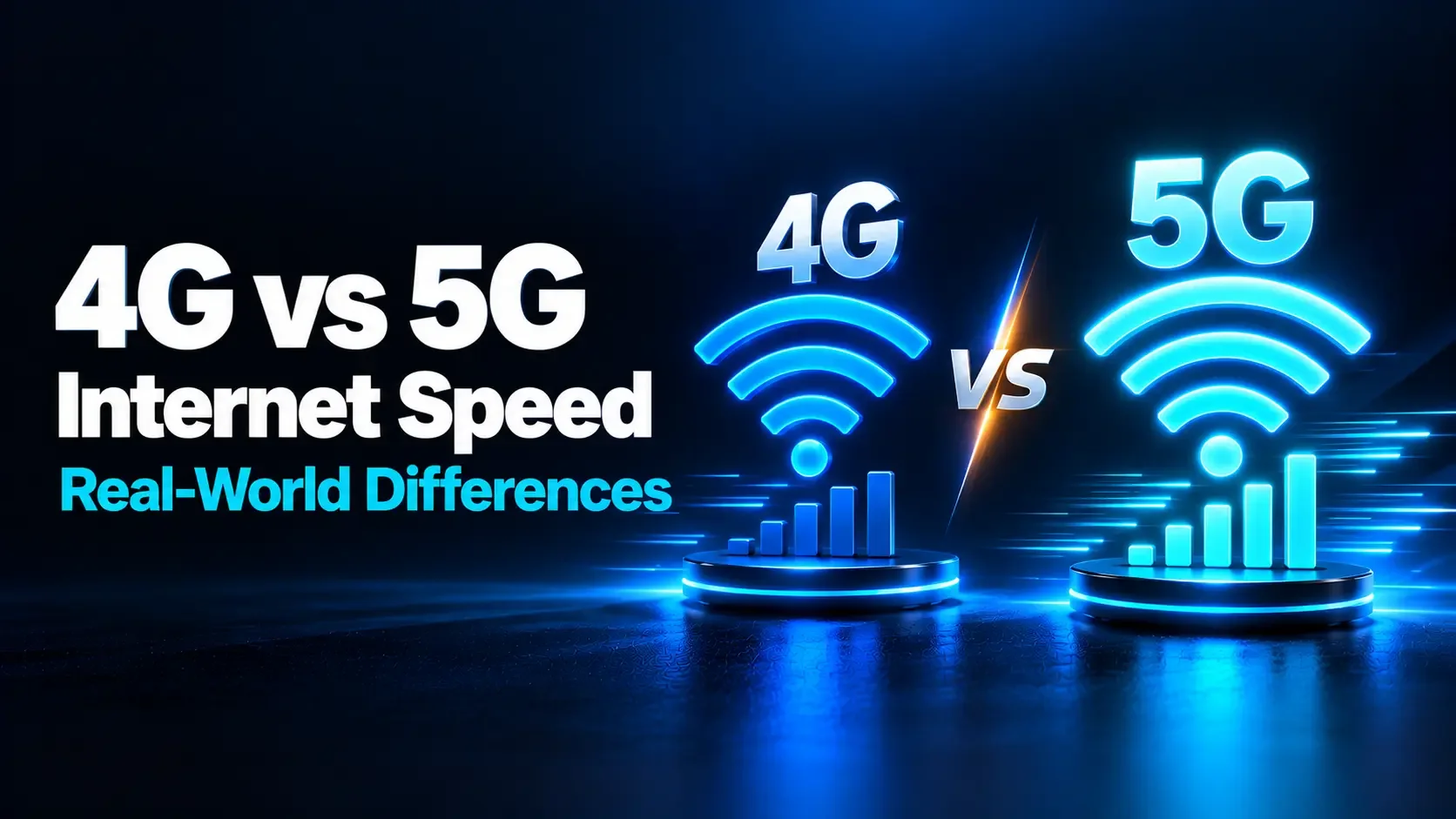
4G vs 5G Internet Speed: Real-World Differences
Compare 4G and 5G internet speeds in everyday use. Learn how coverage, congestion, signal strength and your device affect downloads, uploads, gaming, streaming, and the reliability of your connection.
On this page
- 4G vs 5G Internet Speed: What's the Difference in Real-World Performance?
- What Is the Difference Between 4G and 5G?
- How Much Faster Is 5G in Real Life?
- Why Different Types of 5G Perform Differently
- Download Speed: Where the Difference Is Often Most Noticeable
- Upload Speed: Do Not Assume the Same Improvement
- Latency: Why Faster Internet Does Not Always Mean Lower Ping
- What Changes for Everyday Activities?
- Why 5G Might Be Slower Than 4G in Your Location
- How to Compare 4G and 5G Fairly
- Is 5G Home Internet Different from Phone 5G?
- When Is Upgrading to 5G Worthwhile?
- Frequently Asked Questions
- Judge the Connection by What It Delivers
- Further Reading
4G vs 5G Internet Speed: What's the Difference in Real-World Performance?
Your phone displays a 5G symbol, but a video still buffers. Meanwhile, someone using 4G nearby seems to have a perfectly usable connection. Does that mean 5G is not actually faster?
5G has greater performance potential than 4G, particularly when a network has suitable spectrum and enough capacity. However, the generation shown on your screen does not guarantee a particular download speed, upload speed, or response time.
Real-world performance depends on the network deployment, your location, the device you use, and how many people are sharing the available resources. Understanding those factors helps you decide whether 5G offers a worthwhile improvement where you actually use it.
What Is the Difference Between 4G and 5G?
4G and 5G are generations of cellular networking technology. They connect phones, mobile hotspots, and compatible home internet gateways to an operator's network using radio signals.
Consumer 4G services commonly use LTE and its later enhancements. 5G introduces New Radio technology and can use a wider range of spectrum and more advanced network capabilities.
Both can provide everyday internet access. The practical differences become clearer when you compare capacity, coverage, and performance under the conditions in which you use them.
| Factor | 4G | 5G |
|---|---|---|
| Download performance | Can handle everyday tasks well on a strong, uncongested connection. | Offers higher potential throughput, especially with substantial spectrum. |
| Upload performance | Depends on signal conditions and the operator's configuration. | Can improve, but gains may be smaller than download improvements. |
| Latency | Often sufficient for calls and online games. | Can be lower, but depends on the complete network path. |
| Coverage | Often an established coverage layer. | Varies considerably by operator, location, and frequency band. |
| Congestion | Performance can decline when shared capacity becomes busy. | Additional capacity can help, but congestion remains possible. |
| Compatibility | Requires suitable LTE equipment and service. | Requires compatible hardware, supported bands, and operator access. |
How Much Faster Is 5G in Real Life?
There is no single worldwide speed range that accurately describes every 4G or 5G connection. A lightly loaded 4G network can outperform a weak or congested 5G connection, while a well-provisioned 5G network can deliver a substantial improvement.
Published measurements are most useful when they identify the location, operator, collection period, and testing method. A national average is helpful context, but it cannot predict the result inside your living room.
A measured example from the United Kingdom
Ofcom's July 2025 Mobile Matters publication used Opensignal data collected across the UK between October 2024 and March 2025. It reported an average download time of 0.3 seconds for a 2 MB file over 5G, compared with 0.7 seconds over 4G.
That illustrates a real advantage in the study, but it is not a universal speed promise. A short file transfer also includes connection effects, so its completion time should not be treated as a measurement of maximum sustained throughput.
A provider-specific home internet example
As checked in October 2026, T-Mobile's US FAQ listed typical download speeds of 170–354 Mbps and upload speeds of 12–55 Mbps for its Rely Home Internet plan. It also stated that results vary with location, time of day, signal, and other conditions.
Those figures describe one provider's service, not 5G everywhere. They also show why a high download figure should not be assumed to come with an equally high upload rate.
Why Different Types of 5G Perform Differently
Operators deploy 5G using different frequency bands. These bands have different coverage characteristics and available bandwidth.
Low-band 5G: broad coverage
Low frequencies travel relatively far and generally penetrate buildings better than higher frequencies. They help operators provide coverage across wider areas.
However, the available channel bandwidth may be limited. Low-band 5G can therefore offer a smaller speed improvement over a capable 4G network than users expect.
Mid-band 5G: a balance of coverage and capacity
Mid-band deployments can provide wider channels while covering a useful area. They often deliver the more noticeable download improvements associated with 5G.
Indoor results still depend on building materials, distance, interference, and the operator's equipment.
High-band 5G: high capacity over smaller areas
High-band, commonly called mmWave, can provide very high speeds under favorable conditions. Its signals are more vulnerable to obstructions and generally cover smaller areas.
This makes it useful for targeted deployments, but not a realistic basis for assuming gigabit performance everywhere.
Download Speed: Where the Difference Is Often Most Noticeable
Faster downloads reduce waiting time for apps, offline videos, game updates, and large documents. The benefit becomes easier to notice as the file size increases.
Consider a 1 GB file, defined here as 1,000 MB. These examples show ideal transfer times at constant throughput, before overhead and interruptions:
| Sustained download speed | Ideal time for 1 GB |
|---|---|
| 20 Mbps | 6 minutes 40 seconds. |
| 100 Mbps | 1 minute 20 seconds. |
| 300 Mbps | About 27 seconds. |
The calculation is file size in megabytes multiplied by eight, then divided by Mbps. Actual downloads may take longer because of changing radio conditions, server limits, or other traffic.
For small messages and simple webpages, the difference may be much less obvious. Once sufficient bandwidth is available, other delays become a larger part of the experience.
Upload Speed: Do Not Assume the Same Improvement
Upload speed matters when sending videos, backing up photos, sharing files, or transmitting your camera during a meeting. It deserves its own measurement.
Cellular networks may allocate different resources to downloads and uploads. A phone also has different transmission capabilities from the network equipment serving it.
Consequently, a large download improvement does not imply an equally large upload improvement. Depending on the deployment, some 5G connections also rely on LTE for parts of their operation.
If you upload frequently, compare sustained upload results and real file transfers. Choosing a connection solely because it wins a download test can overlook your actual bottleneck.
Latency: Why Faster Internet Does Not Always Mean Lower Ping
Latency describes delay. A ping test usually measures the time for a message to reach a destination and return.
5G can reduce parts of that delay, but your traffic still travels through the operator's network and onward to the destination. Server distance, routing, congestion, and processing all matter.
Claims about extremely low radio latency should not be interpreted as a guarantee of one-millisecond internet gaming ping. Real application performance also depends on jitter and packet loss.
Standalone and non-standalone 5G
Non-standalone 5G uses 5G radio technology alongside existing 4G infrastructure. Standalone 5G uses a 5G core network.
Standalone architecture enables additional capabilities, including opportunities to improve latency. However, the architecture alone does not guarantee that every application will respond faster. The complete deployment still matters.
What Changes for Everyday Activities?
Watching videos
Both technologies can support smooth streaming when sustained throughput meets the service's requirements. Extra speed may help with startup, seeking, or simultaneous streams, but it does not automatically improve a video already playing at its selected quality.
Video calls and remote work
Calls need a dependable connection in both directions. A stable 4G connection may work better than 5G that repeatedly loses signal. Test an actual meeting from your normal workspace, rather than relying on a download score alone.
Online gaming
Higher throughput helps download games and updates. During a match, consistent latency and low packet loss are often more important. Cloud gaming additionally needs enough sustained download capacity for its video stream.
Hotspot use
5G can provide useful capacity when a laptop or several devices share your phone's connection. However, your plan may have separate hotspot allowances or speed restrictions, and the local WiFi link can become another bottleneck.
Why 5G Might Be Slower Than 4G in Your Location
A slower 5G result does not necessarily mean your phone is faulty. Several conditions can explain it:
- Weak reception: Buildings, distance, and indoor placement reduce the quality of the radio link.
- Network congestion: Other users share the resources serving your location.
- Limited spectrum: A 5G connection may not have access to substantially more bandwidth than 4G.
- Device differences: Modems, antennas, supported bands, and software affect performance.
- Plan restrictions: Speed caps, usage thresholds, or traffic policies may apply.
- Other bottlenecks: The test server, VPN, network backhaul, or hotspot WiFi can limit the result.
Signal bars alone cannot explain all of these factors. Strong reception does not guarantee that enough capacity is available at that moment.
How to Compare 4G and 5G Fairly
Use the same phone, operator, plan, location, and test service whenever possible. Comparing different phones on different networks measures several variables at once.
- Turn off WiFi. Confirm that your phone is testing cellular data.
- Pause background transfers. Avoid testing while backups or downloads are running.
- Keep conditions consistent. Stay in one place and note whether a VPN is active.
- Test 4G. If your phone and carrier provide the option, select LTE or 4G and allow it to reconnect.
- Record results. Run the internet speed test and record download, upload, and available latency measurements.
- Test 5G. Enable the available 5G mode and repeat using the same test server when selectable.
- Repeat and compare. Use several results rather than choosing the single highest score.
Repeat the comparison at the times and locations that matter to you. Alternating between modes can reduce the chance that a changing network load favors one set of tests.
A preferred 5G setting does not guarantee continuous 5G use. Phones can fall back to LTE, and status icons do not reveal every detail of the active connection. Describe your results as practical comparisons of the selected modes.
Speed tests transfer data and can use a substantial allowance on fast connections. Keep that in mind when testing a capped plan.
Is 5G Home Internet Different from Phone 5G?
A 5G home internet service usually uses a dedicated cellular gateway that shares its connection through WiFi or Ethernet. This is a form of fixed wireless access.
Its performance may differ from your phone because of the gateway's antennas, supported bands, placement, service plan, and network policies. A fast phone result is encouraging, but it does not guarantee the home service will perform identically.
Test the gateway in the intended installation location, particularly during busy evening hours. Follow the provider's placement guidance and compare Ethernet with WiFi to identify whether the local wireless connection is limiting performance.
When Is Upgrading to 5G Worthwhile?
Consider an upgrade when your current connection regularly limits what you do and local testing shows that 5G improves it. Faster large transfers, better hotspot capacity, or more dependable service during busy periods can justify the change.
Before committing, check device compatibility, local coverage, upload performance, data allowances, and the total cost. If a trial is available, test it where you live and work.
Staying with a reliable 4G setup can be reasonable when it meets your needs. The useful comparison is between the services available to you, rather than their highest advertised speeds.
Frequently Asked Questions
1. Is 5G always faster than 4G?
No. 5G offers greater potential, but a strong, uncongested 4G connection can outperform weak or busy 5G service. Compare actual results in your usual locations.
2. Does 5G use more data than 4G?
Transferring the same file uses roughly the same amount of data. However, apps may select higher-quality media or enable more background activity on 5G, increasing total consumption.
3. Will 5G drain my phone battery faster?
It can, depending on the device, signal, network, and workload. Some phones offer automatic modes that balance performance and power use. Apple's 5G Auto mode, for example, can switch to LTE when 5G offers little practical benefit.
4. Is 5G the same as 5 GHz WiFi?
No. 5G means fifth-generation cellular technology. 5 GHz is a frequency band used by WiFi. A 5G home gateway may provide 5 GHz WiFi, but these are separate connections.
5. Can a 4G phone use 5G after a software update?
A phone without compatible 5G radio hardware cannot gain it through software alone. You need a suitable device and operator support, including an eligible plan where required.
Judge the Connection by What It Delivers
5G can provide a substantial improvement, especially when the network has ample spectrum and your device receives a good signal. Its advantage is less predictable when coverage, congestion, or another bottleneck limits the connection.
Use the speed test tool alongside real calls, streams, and file transfers. Check both speed and consistency before deciding which service works best for you.
Further Reading
- Ofcom: Mobile Matters research published in July 2025
- Nokia: Low-band, mid-band, and high-band 5G explained
- Ericsson: Standalone and non-standalone 5G architecture
- Opensignal: Understanding mobile network measurements
- Apple: 5G settings, status indicators, and data modes
- T-Mobile: Home internet performance and service conditions
How is your connection doing?
Measure download, upload, and response time on the device you use every day.
Test your internet speed ↗