Fiber vs Cable vs DSL Internet: Speed and Reliability
Compare fiber, cable, and DSL internet by speed, reliability, upload performance, and availability. Learn how each connection works and choose a good service for your household, budget, and daily use.
On this page
- Fiber vs Cable vs DSL Internet: Speed, Reliability, and Differences Explained
- The Main Difference: How Internet Reaches Your Home
- What Is Fiber Internet?
- What Is Cable Internet?
- What Is DSL Internet?
- Fiber vs Cable vs DSL: Quick Comparison
- Speed: Compare Download and Upload Separately
- Reliability: Which Connection Is More Dependable?
- Shared Networks and Evening Slowdowns
- Gaming and Video Calls: Look Beyond Mbps
- Installation and Equipment Differences
- Price and Availability: Compare the Full Offer
- Which Connection Fits Your Household?
- How to Check Your Current Connection Before Switching
- Frequently Asked Questions
- Choose the Service That Solves Your Real Limitation
- Further Reading
Fiber vs Cable vs DSL Internet: Speed, Reliability, and Differences Explained
Choosing an internet connection involves more than finding the largest download number. Two plans can look similar in an advertisement but perform differently when you upload videos, join meetings, or share the connection with your family.
Fiber, cable, and DSL use different technologies to bring internet service to your home. Those differences affect available speeds, upload capacity, equipment, and how the connection responds to certain problems.
This guide explains how each technology works, where its strengths and limitations matter, and how to compare the actual services available at your address.
The Main Difference: How Internet Reaches Your Home
The most useful distinction is the connection used for the final part of the provider's network, sometimes called the last mile.
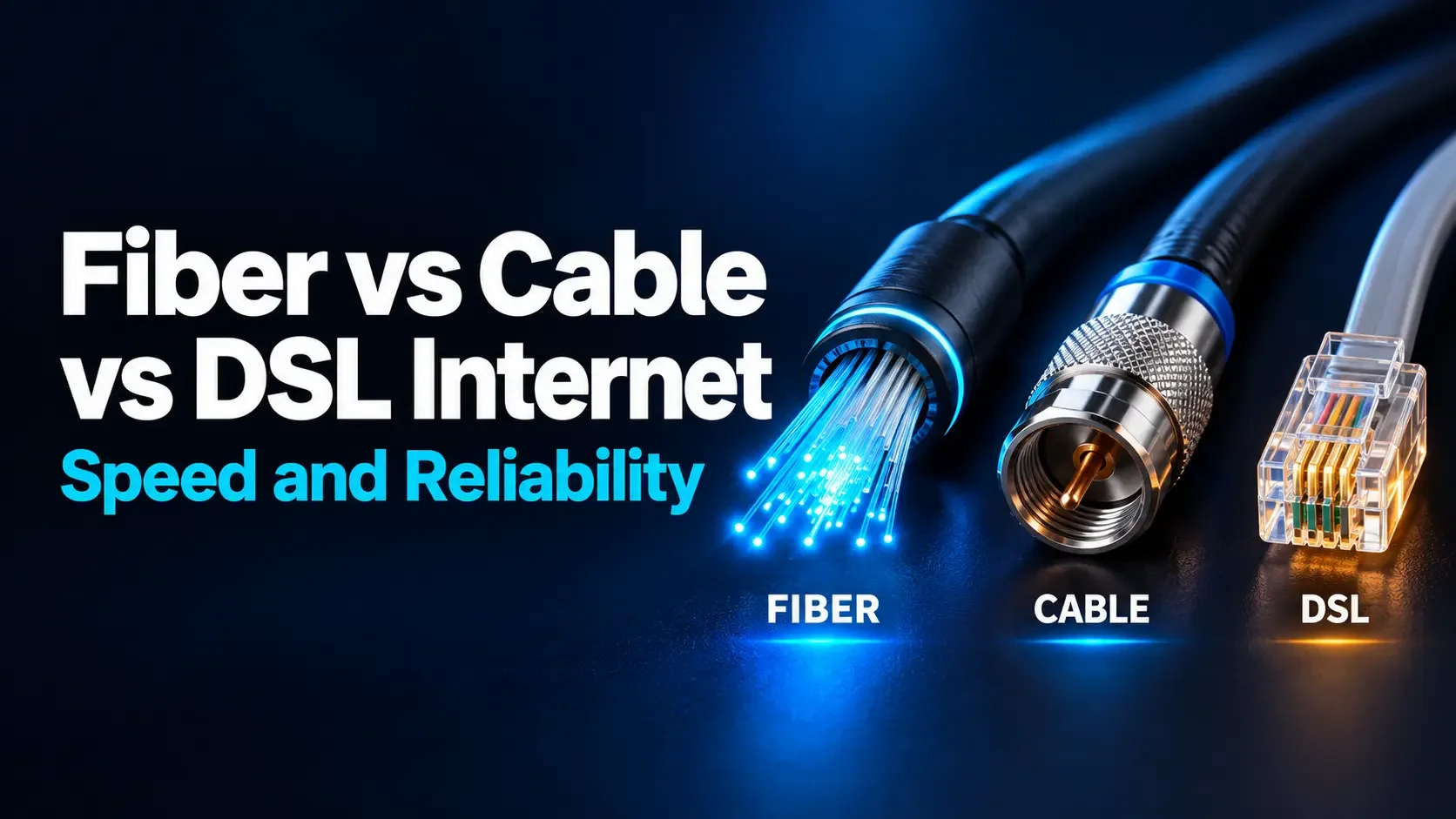
- Full fiber: Optical fiber runs to your home or premises.
- Cable: A coaxial cable typically completes the connection to your home, often as part of a network that also uses fiber.
- DSL: Copper telephone wiring carries the final connection, sometimes from a nearby cabinet connected by fiber.
All three can connect to a home router that provides WiFi. The internet access technology and your wireless network are separate parts of the connection.
What Is Fiber Internet?
Fiber-optic communication carries information using light through thin optical fibers. With fiber to the home or premises, usually called FTTH or FTTP, the optical connection reaches your property.
An optical network terminal, or ONT, connects the fiber service to your home networking equipment. Depending on the installation, some functions may be combined in one device.
Fiber supports high-capacity connections and is well suited to services with substantial upload speeds. Many residential fiber plans offer matching download and upload rates, but this is a plan feature rather than a guarantee attached to every fiber service.
For someone who uploads large videos or regularly backs up a computer online, strong upload performance can be more useful than an even higher download speed.
Full fiber versus part-fiber services
A service described as fiber may still use copper for the final connection. Fiber to the cabinet, or FTTC, brings fiber to a nearby cabinet and commonly uses DSL over telephone wiring from there.
When comparing plans, ask whether fiber reaches your premises. The final connection can affect the speed and performance available at your address.
What Is Cable Internet?
Cable internet uses the coaxial infrastructure associated with cable television networks. Many providers operate a hybrid fiber-coaxial network, combining fiber in part of the network with coaxial cable closer to customers.
A cable modem communicates with the provider's network. It may be separate from your WiFi router or combined with it in a gateway.
Cable can provide fast downloads, including gigabit and some multi-gigabit services where the network supports them. Upload speeds vary substantially between providers, locations, and network generations.
Many cable plans have lower upload than download rates. However, newer deployments can offer much higher uploads and symmetrical services. Do not assume that every cable connection has the same upload limitation.
What Is DSL Internet?
Digital subscriber line, or DSL, carries digital data over copper telephone wiring. It is different from dial-up internet and can provide an always-on connection.
DSL includes several technologies. ADSL generally provides lower speeds than newer short-distance VDSL services. Some providers also use techniques such as bonding multiple copper pairs to improve capacity.
The achievable speed depends heavily on the copper line's length, condition, and the equipment serving it. Two homes on different line routes may receive different speed estimates from the same provider.
DSL can remain useful where other wired options are unavailable or where a suitable plan meets a household's needs. Its limitations become more noticeable with large uploads, multiple demanding users, or long copper lines.
Fiber vs Cable vs DSL: Quick Comparison
| Feature | Full fiber | Cable | DSL |
|---|---|---|---|
| Final connection | Optical fiber | Coaxial cable, usually within a hybrid network | Copper telephone wiring |
| Download capability | Supports gigabit and multi-gigabit services | Supports gigabit and some multi-gigabit services | Usually lower; strongly dependent on DSL type and line conditions |
| Upload performance | Often high; symmetrical plans are common | Varies widely; newer networks can offer symmetrical plans | Usually lower than download on residential ADSL and VDSL plans |
| Important limitations | Plan, network capacity, equipment, and availability | Network upgrades, local capacity, signal quality, and equipment | Copper distance, wiring quality, interference, and technology |
| Typical home equipment | ONT and router, sometimes integrated | Cable modem and router, sometimes integrated | DSL modem and router, often integrated |
| Useful fit | Heavy uploads and households needing substantial capacity | Fast general home use where suitable plans are available | Modest usage or locations with limited alternatives |
These are technology characteristics, not guaranteed results. The provider's actual plan and local network matter more than the category alone.
Speed: Compare Download and Upload Separately
Download speed affects receiving files, streaming content, and installing software. Upload speed affects sending videos, cloud backups, file sharing, and the outgoing part of a video call.
Internet speeds are commonly expressed in megabits per second, or Mbps. One gigabit per second equals 1,000 Mbps. These figures describe transfer capacity, not how quickly every website will respond.
Ask for both directions when comparing plans. A service advertised prominently as “500 Mbps” may have a very different upload rate, while another plan may provide the same speed in both directions.
An example for someone uploading videos
Imagine you are comparing the following three offers. These are invented examples for explaining the calculation, not current market offers or limits of the technologies.
| Example plan | Download | Upload | Ideal upload time |
|---|---|---|---|
| Fiber plan | 300 Mbps | 300 Mbps | About 2 minutes 13 seconds |
| Cable plan | 500 Mbps | 20 Mbps | About 33 minutes 20 seconds |
| DSL plan | 50 Mbps | 10 Mbps | About 1 hour 7 minutes |
The calculation treats 5 GB as 40,000 megabits and divides that amount by the upload rate. Real transfers take longer when overhead, WiFi, competing traffic, or the receiving service limits performance.
In this example, the plan with the largest download number is not the fastest choice for uploading. Your own comparison should use the upload rates offered at your address.
Reliability: Which Connection Is More Dependable?
Fiber has a useful physical advantage: its optical signal is not affected by electromagnetic interference in the way electrical signals on copper can be. It also avoids the copper telephone-line limitations associated with DSL.
However, fiber is not immune to outages. Cable cuts, damaged connectors, provider equipment failures, and power problems can interrupt service.
Cable reliability depends on network maintenance, signal quality, capacity, and equipment. DSL reliability depends partly on copper condition, line length, and electrical noise. A well-maintained service can perform better than a poorly maintained alternative with a more attractive technology label.
For a practical comparison, ask about recent problems on the network serving your neighborhood, repair arrangements, and support availability. These details matter when you depend on the connection for work.
What happens during a power outage?
Home networking equipment needs power regardless of the connection type. Fiber requires a working ONT and router; cable and DSL require their modems and routers.
Backup power can keep suitable home equipment running, but the provider's network must also remain operational. Do not assume that an installed battery supports internet service: some provider backup systems support telephone service only.
Shared Networks and Evening Slowdowns
Cable networks commonly share capacity among groups of customers. If demand exceeds available capacity, performance may decline during busy periods.
That does not mean every cable connection slows down each evening. Network upgrades, capacity planning, and local demand influence the result.
Fiber is not automatically a dedicated connection either. Many residential deployments use a passive optical network that shares capacity among subscribers. DSL also joins shared infrastructure beyond the individual copper connection.
The useful question is how the provider manages demand. If evening performance matters, compare repeated results during the hours when your household actually uses the internet.
Gaming and Video Calls: Look Beyond Mbps
A large game download benefits from high download capacity. Playing an interactive game also depends on delay, delay variation, and packet loss.
Latency describes delay. The route to the game or meeting server, congestion, and your home network can influence it. No connection type guarantees a particular ping to every destination.
For video calls, adequate upload capacity is especially important when several people are sending camera feeds at once. Heavy background transfers can also affect responsiveness.
When possible, evaluate a connection while performing your normal activities. A smooth call during household traffic is more informative than an isolated speed-test result.
Installation and Equipment Differences
Full fiber may require a new optical line, an ONT, and an installation appointment. Existing wiring can make cable or DSL installation simpler, but old sockets and damaged wiring may still need attention.
Ask which equipment is included, whether it must remain installed, and whether you can use your own router. Compatibility requirements differ between services.
For gigabit or multi-gigabit plans, check the speeds supported by the router, Ethernet ports, adapters, and devices. A single slower link can limit the result you see.
Also plan router placement. A fast service arriving at the building does not guarantee strong WiFi in every room.
Price and Availability: Compare the Full Offer
There is no universal rule that DSL is cheapest, cable is mid-priced, and fiber is most expensive. Local competition, promotions, installation costs, and service packages can change the order.
Compare these details for your exact address:
- Ongoing price: What will you pay after an introductory offer ends?
- Equipment costs: Are rental, purchase, or installation charges separate?
- Usage conditions: Is there a data allowance, fair-use threshold, or reduced-speed condition?
- Commitment: How long is the term, and what happens if you move or cancel?
- Performance information: What download and upload speeds should you expect?
- Support: How are faults reported, investigated, and repaired?
Availability can differ between neighboring streets or buildings. Confirm that the advertised service can actually be installed at your property before making a decision.
Which Connection Fits Your Household?
For video creators and frequent cloud backups
Prioritize upload capacity and consistency. A suitable symmetrical fiber plan is often attractive, but compare any higher-upload cable services available too. Calculate how much time the upload difference could save on your usual files.
For streaming and general family use
Fiber and cable can both serve demanding households well. Compare concurrent usage, WiFi coverage, and ongoing cost. A modest household may receive little practical benefit from paying for a much higher tier.
For working from home
Balance upload capacity, reliability, and support. If being offline would interrupt essential work, consider how you would manage an outage. A faster plan alone does not provide a backup connection.
For light usage or limited local choices
DSL may be sufficient for browsing, email, and some streaming when the actual line speed supports your needs. Ask for an address-specific estimate and consider what happens when more than one person uses the connection.
How to Check Your Current Connection Before Switching
Start by confirming your service type and plan with your provider. Then use the WiFi Speed Test to record the measurements available for your current connection.
- Test near your main router with optional downloads and backups paused.
- Run a wired comparison when your equipment allows it.
- Repeat at different times, including your usual busy period.
- Record any call interruptions, buffering, or unusually slow transfers.
A speed test cannot reliably identify your access technology by itself. It also includes the effects of your device and local network. If wired performance is satisfactory but one room is slow, improving WiFi coverage may help more than changing providers.
Frequently Asked Questions
Is fiber always faster than cable?
No. The purchased plans determine their service limits, and cable can offer high download rates. Fiber often provides strong upload options, but compare the actual download and upload figures rather than assuming the technology name decides everything.
Can DSL handle streaming and video calls?
It can when the available download and upload capacity is sufficient. Results depend on line conditions, the application's requirements, and other household activity. Large transfers or several simultaneous users may expose its limitations.
Does fiber internet automatically improve WiFi coverage?
No. Fiber changes the connection reaching your home. Wireless coverage still depends on the router, placement, obstacles, interference, and devices. New equipment supplied during an upgrade may help, but fiber itself does not strengthen the WiFi signal.
Is cable internet the same as cable television?
They can use the same coaxial network infrastructure, but they are different services. Whether internet is available separately from television depends on the provider's offers. Check the standalone service terms instead of assuming a television package is required.
Do I need symmetrical speeds?
Not necessarily. Matching upload and download rates are useful for frequent large uploads and upload-heavy households. If you mainly receive content, a lower upload allowance may still meet your needs. Compare actual usage before paying more.
Choose the Service That Solves Your Real Limitation
Fiber offers substantial capacity and strong upload possibilities. Cable can provide fast home internet with performance that depends on the local deployment. DSL remains useful in some locations, although copper line conditions can constrain it.
Compare the plans available at your address, test your current connection, and identify what needs improvement. The best choice is the service that meets your household's needs reliably at a price and commitment you understand.
Further Reading
How is your connection doing?
Measure download, upload, and response time on the device you use every day.
Test your internet speed ↗